Rumpelstiltskin AI Video Generator
No login requiredFree for a limited time
Your dance video
Your finished video will appear here.
Choose your dancer photo to get started. A princess and barn setting are included.
The template requests a 10-second sequence: a shush gesture, the princess’s reaction, then a measured tiptoe dance with a footwork close-up. AI results can vary.
Download your clip when it is ready. Video links are temporary; this site does not provide a permanent video library.
The Rumpelstiltskin AI video generator uses one person’s photo and a prepared dance template to create a new video. Upload the dancer, keep the included princess or add her photo, then preview and download the result. Generation is free for a limited time with no login required and can take a few minutes.
For a closer look at the steps and posture, see Rumpelstiltskin Dance Video Generator. For screenshots of the upload and download controls, follow How to Make a Rumpelstiltskin AI Video.
How the Generator Works
Upload your photo
Select Choose dancer photo and add one JPG, PNG or WebP of the person you want to animate.
Generate the video
Confirm permission to use your photos, select Generate video and keep the page open while it renders.
Preview the result
Play the finished video and check the face, movement and framing.
Download the MP4
Select Download video to save the finished file to your device.
What You Get
| Parameter | Output |
|---|---|
| Aspect ratio | Landscape, approximately 16:9 |
| Duration | 10 seconds requested; the finished file can run slightly longer |
| File format | MP4 |
| Audio | May include generated sound. The Tip Toe song is not included. |
| Resolution | 768p landscape; pixel dimensions are set by the video service |
These are the maker’s current download settings. The video service determines the final pixel dimensions and can add a few frames beyond the requested duration.
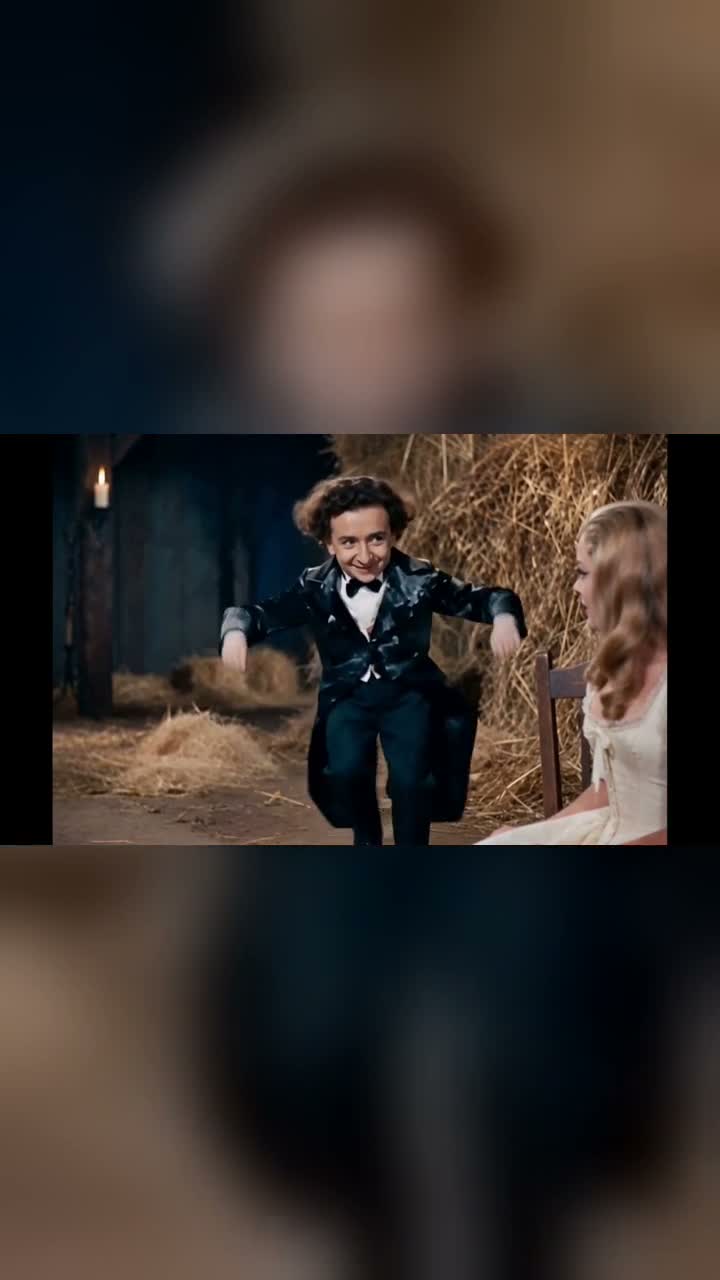
Rumpelstiltskin AI Video Generator Demo
A Rumpelstiltskin AI video generator sample showing a character dancing in a straw-filled scene.
Earlier generated example, presented in portrait format. Current downloads use landscape framing; motion and character likeness vary between results.
Which Photo Works Best
Use one clearly visible person. A face looking toward the camera gives the model a useful identity reference, and a full-body photo leaves more information for the feet and posture.
- Keep the face sharp and unobstructed; avoid sunglasses, masks and motion blur.
- Choose even, bright lighting so the facial features are visible.
- Use a single-person image and keep the shoes in frame where possible.
- Prefer the unfiltered photo over a heavily smoothed or distorted version.
The upload accepts JPG, PNG and WebP files up to 10 MB. Pet and cartoon images can pass the file checks, but their results have not been verified with this human-dancer template. Group photos have no subject-selection control; crop the photo to one person before uploading.
Pricing and Refunds
Video generation is free for a limited time, with no login or payment required. There is no subscription or checkout.
A job in progress reserves the allowance. If the provider reports failure and the internal refund completes, the opportunity is restored. A completed video still counts if its appearance or motion differs from your expectations.
Additional paid generations are not currently available. No payment is collected under this offer, so there is no money to refund.
Troubleshooting
Generation failed
If generation fails, try again when the maker becomes available. While a video is being generated, keep the page open; generation can take a few minutes. Contact zw83716@gmail.com if generation remains stuck.
Photo rejected
Export the image as JPG, PNG or WebP and keep it at or below 10 MB, then select it again. Renaming a file extension does not convert its format; the upload checks the file type and extension.
Download does not work
Try Download video again while the result link is active. If it still fails or the link has expired, email zw83716@gmail.com with the approximate generation time.
FAQ
What are the photo requirements?
Choose a JPG, PNG or WebP up to 10 MB with one person, a clear face and good light. A full-body photo helps show the feet. Use the separate princess field if you want to choose that character too.
What are the output specifications?
The maker requests a 10-second, 768p landscape video and downloads an MP4. Exact pixel dimensions and the final frame count are set by the video service. The file can contain generated sound, but the Tip Toe song is not added.
How long does generation take?
Generation can take a few minutes. Keep the page open until your video appears.
Can I use someone else’s photo?
Use another person’s photo only with permission to use the image and depict that person in the generated video. The permission checkbox applies to both the dancer photo and any princess photo you upload.
Can I make more than one video?
Additional generations are not currently available under the free offer. If generation fails, you can try again once the maker becomes available. There is no paid repeat-generation option under this offer.